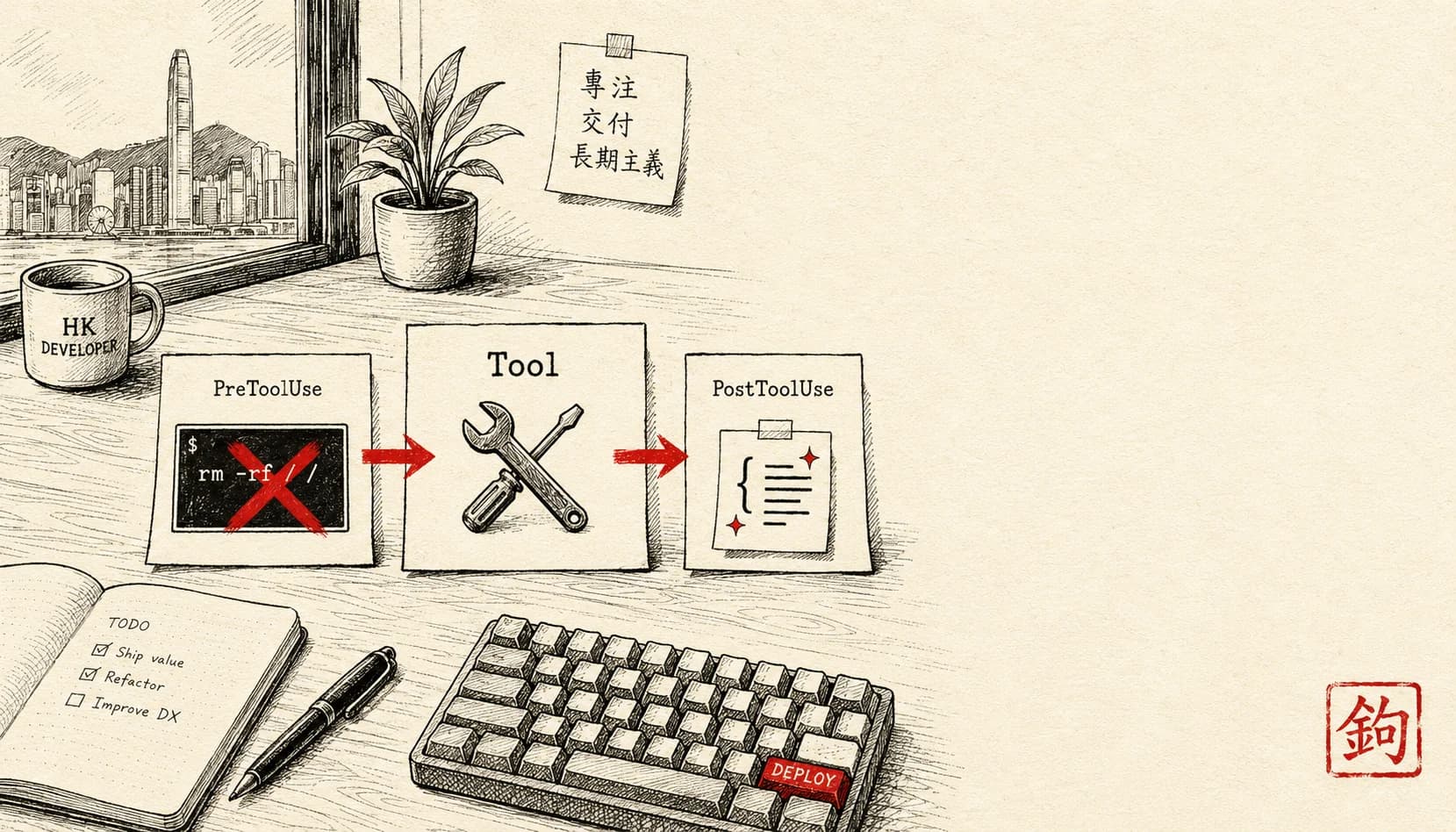
Claude Code Hooks:自動排版 / 自動 test / 自動 block 危險指令
成日唔記得跑 prettier,commit 就 lint fail。或者擔心 Claude 突然跑 `rm -rf /`。Hooks 解決:PreToolUse 阻破壞性指令,PostToolUse 自動排版。教你 setup 5 個必備 hook + 邊個事件對邊類任務。
情境
你 Claude Code 用咗 6 個禮拜:
-
尋日突發:Claude 做咗個大 refactor,你手動
git commit—— 但唔記得跑npm run format。CI lint 肥咗,要 amend commit、還原、排版、再 push。白白多花 15 分鐘。 -
上禮拜:你測試一個破壞性 script,唔小心同意咗 Claude「跑 rm -rf node_modules」(本意係清理)—— 但 Claude 走去
rm -rf /tmp/某個重要 folder。執手尾執咗成個鐘。 -
上個月:你 push 咗一個 commit,後來先發覺你將 production API key 寫咗入 .env.example。出醜大鑊,洩漏咗。
呢類錯誤都有個共通規律:全靠手動紀律。你個腦應該記得每次都要做 X(排版 / 驗證 / 掃描),但個腦偶爾會唔記得 = 錯誤就漏咗出去。
Hook 就係解決呢樣嘢:Claude Code 執行週期入面有啲特定事件,你可以掛(hook)入去 —— 自動跑你要嘅檢查同動作。
3 個關鍵事件:
- PreToolUse:Claude 用工具之前(讀 / 寫 / bash 等等)—— 可以檢視同阻擋
- PostToolUse:工具跑完之後 —— 可以反應、串連落去
- Stop:session 結束 —— 做最後驗證、清理手尾
呢篇拆 5 個必備 hook + setup 步驟。
跟住做
1. Hook 架構
Hook = 一個 shell script,你喺 Claude Code 嘅 settings.json 註冊。每次特定事件觸發,Claude Code 就會自動跑你個 script,再按 script 嘅 exit code 決定點做。
[Claude 動作: write file]
↓
[PreToolUse hook fires]
↓ (exit 0: 准 / exit non-0: 阻)
[Tool 跑]
↓
[PostToolUse hook fires]
↓
[下一個動作]
2. 喺 settings.json 設 hook
打開設定:
claude --config
# 或手動 edit ~/.claude/settings.json
Hook 結構:
{
"hooks": {
"PreToolUse": [
{
"matcher": "Bash",
"hooks": [
{
"type": "command",
"command": "~/.claude/hooks/pre-bash-safety.sh"
}
]
}
],
"PostToolUse": [
{
"matcher": "Write",
"hooks": [
{
"type": "command",
"command": "~/.claude/hooks/post-write-format.sh"
}
]
}
]
}
}
matcher:工具名(Bash / Write / Read / Edit 等等)—— hook 淨係喺配對到嘅工具嗰陣先觸發command:shell script 嘅路徑
3. Hook 1 —— 阻破壞性指令(安全)
建立 ~/.claude/hooks/pre-bash-safety.sh:
#!/bin/bash
# Read Claude's intended command from stdin
input=$(cat)
command=$(echo "$input" | jq -r '.command')
# 列 danger pattern
declare -a danger_patterns=(
"rm -rf /"
"rm -rf ~"
"rm -rf \$HOME"
"dd if=/dev/"
"mkfs"
"shutdown"
":(){:|:&};:" # fork bomb
"chmod -R 777 /"
"git push --force.*main"
"git push --force.*master"
)
# Check pattern
for pattern in "${danger_patterns[@]}"; do
if echo "$command" | grep -qE "$pattern"; then
echo "🚫 BLOCKED: command matches danger pattern '$pattern'" >&2
exit 1
fi
done
exit 0
chmod +x ~/.claude/hooks/pre-bash-safety.sh
註冊個 hook(跟返第 2 步嘅例子)。
效果:如果 Claude 試跑 rm -rf /(無論真係要定唔小心),hook 就會攔住佢,Claude 見到錯誤之後 → 改用其他做法。
4. Hook 2 —— Write 完自動排版
建立 ~/.claude/hooks/post-write-format.sh:
#!/bin/bash
input=$(cat)
file_path=$(echo "$input" | jq -r '.tool_input.file_path')
# 確認係 code file
if [[ "$file_path" =~ \.(ts|tsx|js|jsx|json|md)$ ]]; then
cd "$(dirname "$file_path")"
# Use prettier if installed
if command -v prettier >/dev/null; then
prettier --write "$file_path" 2>/dev/null
fi
fi
exit 0
chmod +x 之後,註冊去 PostToolUse、配對 Write。
效果:Claude 寫新 file 或者改現有 file → prettier 自動跑一次 → 你永遠唔會再見到排版 lint error。
5. Hook 3 —— Stop session 時 cleanup
建立 ~/.claude/hooks/stop-cleanup.sh:
#!/bin/bash
# Auto-cleanup .DS_Store + temp file at session end
find . -name ".DS_Store" -delete 2>/dev/null
find . -name "*.tmp" -delete 2>/dev/null
# Check for any uncommitted changes
if [ -n "$(git status --porcelain 2>/dev/null)" ]; then
echo "⚠️ Uncommitted changes detected" >&2
fi
exit 0
註冊做 Stop hook:
{
"hooks": {
"Stop": [
{
"hooks": [{
"type": "command",
"command": "~/.claude/hooks/stop-cleanup.sh"
}]
}
]
}
}
效果:每次你退出 Claude Code session → 清理 script 自動跑一次 → git 工作目錄永遠唔會留低垃圾。
6. Hook 4 —— Commit 前安全檢查
建立 ~/.claude/hooks/pre-bash-precommit.sh:
#!/bin/bash
input=$(cat)
command=$(echo "$input" | jq -r '.command')
# Detect git commit attempt
if [[ "$command" == "git commit"* ]]; then
# Check for hardcoded secrets in staged files
if git diff --staged | grep -qE '(api[_-]?key|secret|password)\s*=\s*["'"'"'][^"'"'"']{8,}'; then
echo "⚠️ Potential secret detected in staged file" >&2
echo "Review with: git diff --staged | grep -iE 'key|secret|password'" >&2
exit 1
fi
# Check for debug code
if git diff --staged | grep -qE 'console\.log\(|print\(.*DEBUG'; then
echo "⚠️ Debug console.log/print left in staged files" >&2
fi
fi
exit 0
註冊去 PreToolUse、配對 Bash(同安全 hook 放埋一齊)。
效果:Claude 試跑 git commit → hook 檢查 staged 內容 → 一發現有 secret → 攔住,再建議你睇返一次。
7. Hook 5 —— Code 改完自動 test
建立 ~/.claude/hooks/post-write-test.sh:
#!/bin/bash
input=$(cat)
file_path=$(echo "$input" | jq -r '.tool_input.file_path')
# Run tests if source code change
if [[ "$file_path" =~ /src/.+\.(ts|tsx|js|jsx)$ ]]; then
if [ -f "package.json" ]; then
npm test --silent 2>&1 | head -20
fi
fi
exit 0
效果:Claude 改 src file → test 自動跑一次 → 結果顯示畀 Claude → 若果 fail,Claude 即刻反應。
⚠️ 唔適合大型 test suite(太慢)。大 project 嘅話,淨係跑指定嘅 test pattern,或者索性跳過。
變化
變化 1:Project-scope hook
放喺 ~/.claude/settings.json 嘅 user 層 hook,會套用喺你全部 project。放喺 ./.claude/settings.json 嘅 project 層 hook,就淨係套用喺呢個 project:
// .claude/settings.json in project root
{
"hooks": {
"PreToolUse": [
{
"matcher": "Bash",
"hooks": [{
"type": "command",
"command": "./.claude/hooks/project-specific.sh"
}]
}
]
}
}
用途:
- 某個 project 有特別嚴格嘅 lint 規則
- 某個 project 唔想自動排版(舊有 legacy code)
- 某個 project 嘅 deploy 指令要額外守門
變化 2:條件式 hook(事件過濾)
進階啲嘅 hook,可以喺動作之前先檢視事件嘅細節:
#!/bin/bash
input=$(cat)
file_path=$(echo "$input" | jq -r '.tool_input.file_path')
# Only fire for production code (skip test files)
if [[ "$file_path" =~ /test/ ]] || [[ "$file_path" =~ \.test\. ]]; then
exit 0
fi
# Specific check for prod code
# ... rest of script
咁樣嘅粒度,等你個 hook 淨係喺真正相關嘅情況先觸發。
變化 3:Hook + Skills + Commands 三者組合
三層自訂 stack:hooks + skills + slash commands。
- Hooks:被動自動(事件一觸發就跑)
- Skills:workflow 邏輯(自動偵測你嘅意圖)
- Commands:你親手明確觸發
例如:
/deploycommand 一觸發 → 開 4 個 subagent(並行檢查)→ 每個 subagent 寫 file → PostWrite hook 自動排版 → 所有 deploy gate 都過 → 你打一個字就搞掂。
呢個架構複雜度係高啲,但對你日常 workflow 嘅槓桿好大。
拆解:點解 work,同邊度會仆街
跟到上面就已經用得。下面呢段係寫畀**想由「demo 跑得過」做到「全隊用足一年都唔出事」**嘅人——初學者可以跳過,唔影響你跟住做。
Hook 最陰濕嘅地方係:佢係靜靜哋自動跑嘅,所以佢一壞,你好可能唔知道。排版 hook 唔出聲,你以為佢有跑;安全 hook 攔錯嘢,你以為係 Claude 唔肯做。呢幾個位,就係 hook 由「幫手」變「累事」嘅地方,你要預咗:
1. 安全 hook 嘅 pattern 比對,又會漏又會錯殺
個 pre-bash-safety.sh 用 grep 配 string,但 shell 指令有一萬種寫法。rm -rf / 攔到,但 rm -rf /(兩個空格)、rm -fr /、變數展開成 / 嘅 rm -rf $DIR、或者擺埋落 bash -c "..." 入面,全部可能溜過去。反過嚟,git push --force.*main 又會錯殺你 push 去 feature/login-mainpage 嘅正常分支。
- 會出事:你以為有層保護,其實有窿;又或者 hook 成日錯殺,你索性 disable 咗佢,等於冇咗道防線。
- 點救:當佢係「減少意外」而唔係「真安全邊界」——真係危險嘅嘢,靠 Claude 嘅 permission 確認同你自己睇清楚。pattern 寫鬆啲、錯殺寧願 log warning(唔 exit 1)唔好硬攔;定期 review 你個 danger list。
2. PostToolUse 嘅 cd 同相對路徑,會悄悄做錯位
post-write-format.sh 做咗 cd "$(dirname "$file_path")",post-write-test.sh 又靠 if [ -f "package.json" ] 同 npm test 喺當前目錄跑。但 hook 嘅工作目錄、同埋你以為佢喺邊度跑,唔一定一樣。monorepo 裏面 package.json 喺 sub-package,跑 root 個 npm test 就完全跑錯;prettier --write 喺錯目錄又揾唔到 .prettierrc,出嚟嘅排版同你 CI 嗰套唔同。
- 會出事:排版結果同 CI 唔一致(hook 排完 CI 又話 fail),或者 test 跑咗錯 suite 報咗個無意義嘅綠燈。
- 點救:用絕對路徑、唔好靠
cd;揾 project root 用「向上揾到package.json/.git」嘅方式定位,再喺嗰度跑;每個 repo 釘死 prettier 版本(放 devDependency),唔好靠全域prettier。
3. PostToolUse 改完個 file,Claude 唔知道 排版 hook 喺 Claude 寫完之後改咗個 file 嘅內容。但 Claude 腦海裏面個 file 仲係佢自己嗰個版本。下一步佢用舊內容去做 Edit,個 old_string 對唔到,Edit 就 fail;又或者佢覆寫返,推翻咗你排版嘅結果。
- 會出事:Claude 同 hook 互相覆蓋,Edit 連環 fail,你睇住佢鬼打牆。
- 點救:排版類 hook 盡量唔好改動會即刻再被 Edit 嘅 file;或者揀喺 Stop 階段先一次過排版,唔好喺每次 Write 之後即跑。要即跑就接受 Claude 偶爾要重讀個 file。
4. Hook 慢 = 你每個動作都拖慢
Hook 係同步跑嘅:佢未 return,Claude 就等住。post-write-test.sh 喺大 project 跑 npm test 隨時幾十秒到幾分鐘,而佢係每次 Write src file 都跑一次。Claude 改五個 file,你就等五次全套 test。
- 會出事:原本好快嘅 session 變到一頓一頓,慢到你想成個 hook 拆走。
- 點救:文章已提——大 project 唔好全套跑。再進一步:只跑同改動 file 相關嘅 test、加 timeout(hook 跑太耐就斬)、或者重嘅檢查(full test / type check)擺去 Stop 階段一次過跑,唔好掛喺 PostToolUse。
5. jq 唔喺度、或者 input 個 schema 變咗,個 hook 靜靜哋當冇事行過
全部 script 第一句都係 command=$(echo "$input" | jq -r '.command')。如果部機冇裝 jq,呢句直接 error,但因為後面 exit 0,個安全 hook 會「乜都冇攔到就放行」——fail open,最危險嗰種。同樣,如果某個工具傳入嘅 JSON 入面冇 .command(例如 Bash 以外嘅工具配錯咗 matcher),jq 會俾你 null,你個 pattern 比對就形同虛設。
- 會出事:你以為防線開咗,實情係靜靜哋成個關咗,而你完全冇收到通知。
- 點救:開頭 check 依賴(
command -v jq >/dev/null || { echo "hook: jq missing" >&2; exit 2; });安全類 hook 寧願 fail closed(揾唔到嘢就當可疑、exit 非 0);裝好個 hook 之後,親手用一個真係危險嘅指令試一次,確認佢真係會攔。
呢幾個位,就係「demo 跑得過」同「全隊用足一年都信得過」之間嘅距離。Hook 慳到你嘅紀律,但你要花一次工夫,確認道防線真係喺度、而且攔啱嘢。
一個心態
Hooks 背後嘅深層體會:AI agent 同人協作嘅安全同質素,唔應該全靠手動紀律。應該將啲煩悶嘅 guardrail 自動化。
你個腦容量應該用嚟做判斷(邊個 design 好啲、邊個 trade-off 要揀),唔好浪費喺記性度(跑排版 / 跑 test / 檢查 secret)。Hook 就係幫你將後者交畀系統。
換個角度睇:hook 唔係「微管理 Claude」,而係「將我自己嘅紀律自動化」。Claude 動作冇問題 → hook 靜靜哋唔出聲。Claude 動作有問題 → hook 攔截,幫我擋住我自己可能會犯嘅錯誤。
最後提醒:
- ✅ 由 1 至 2 個 hook 開始(安全同排版)。之後每個月加一個,當你發現有啲手動動作不停重複嗰陣。
- ⚠️ Hook script 一有 bug,就會攔住 Claude 全部動作。所以要單獨測試好個 hook,先好放心交畀佢。
- 🎯 將團隊層面嘅 hook commit 入 git repo。Commit 前嘅 secret 掃描,應該全隊一齊用。
接落嚟一個鐘,寫一個安全 hook 去攔住破壞性指令。你今晚瞓覺,就唔使再擔心 Claude 突然失控。
文中工具 · 連結
- Claude Code CLI· 付費
開發者用 — terminal 入面同 Claude pair coding
睇完想同 Claude 一齊行一次?
撳一撳,就將成段 tutor 指示(連埋成篇文嘅內容)抄入剪貼簿。 貼入 Claude.ai 或 Claude Desktop,佢會用廣東話帶你一步一步行, 每步問你填關鍵位,最後畀返一個專為你情況寫嘅 prompt 帶走。
- 創作者 · 30 分鐘
Claude Code 由零安裝:Mac / Linux 30 分鐘起第一個 project
你睇 Twitter / HN 講 Claude Code,但搜尋「install」出咗 5 個矛盾教學,唔知由邊度開始。呢篇 30 分鐘有系統咁裝好 —— Mac / Linux 設定、API key、第一個 project 跑起、權限設定、常見安裝錯誤拆解。
- 創作者 · 25 分鐘
Claude Code slash commands:內建 10 個 + 點整你自己嘅 /command
你 Claude Code 每日貼同樣指示 5 次。Slash command 一招搞掂:定 1 次「/commit」,往後打個指令就啟動。介紹內建 10 個必備 + 教你 15 分鐘整自己嘅 /command。
- 創作者 · 25 分鐘
Git worktrees + Claude Code:3 個 feature 同時並行開發,唔 stash 唔衝突
Feature A 做緊一半,老闆嗌「急住搞掂 feature B」——切換情境就蝕咗 20 分鐘。Git worktree 解決:每個 feature 自己一個資料夾 + 自己一個 Claude Code session,可以並行。教你點設定,點同 Claude Code 整合。